JobSight reads your plan set and flags the problems before they’re built.See how
JobSight · Construction Intelligence

Catch plan problems
before they’re built.

Upload your plan set and JobSight reads every sheet, finds where the drawings disagree, and shows you the exact spot — in plain English, with the RFI ready to send.

app.jobsight.io/flagged
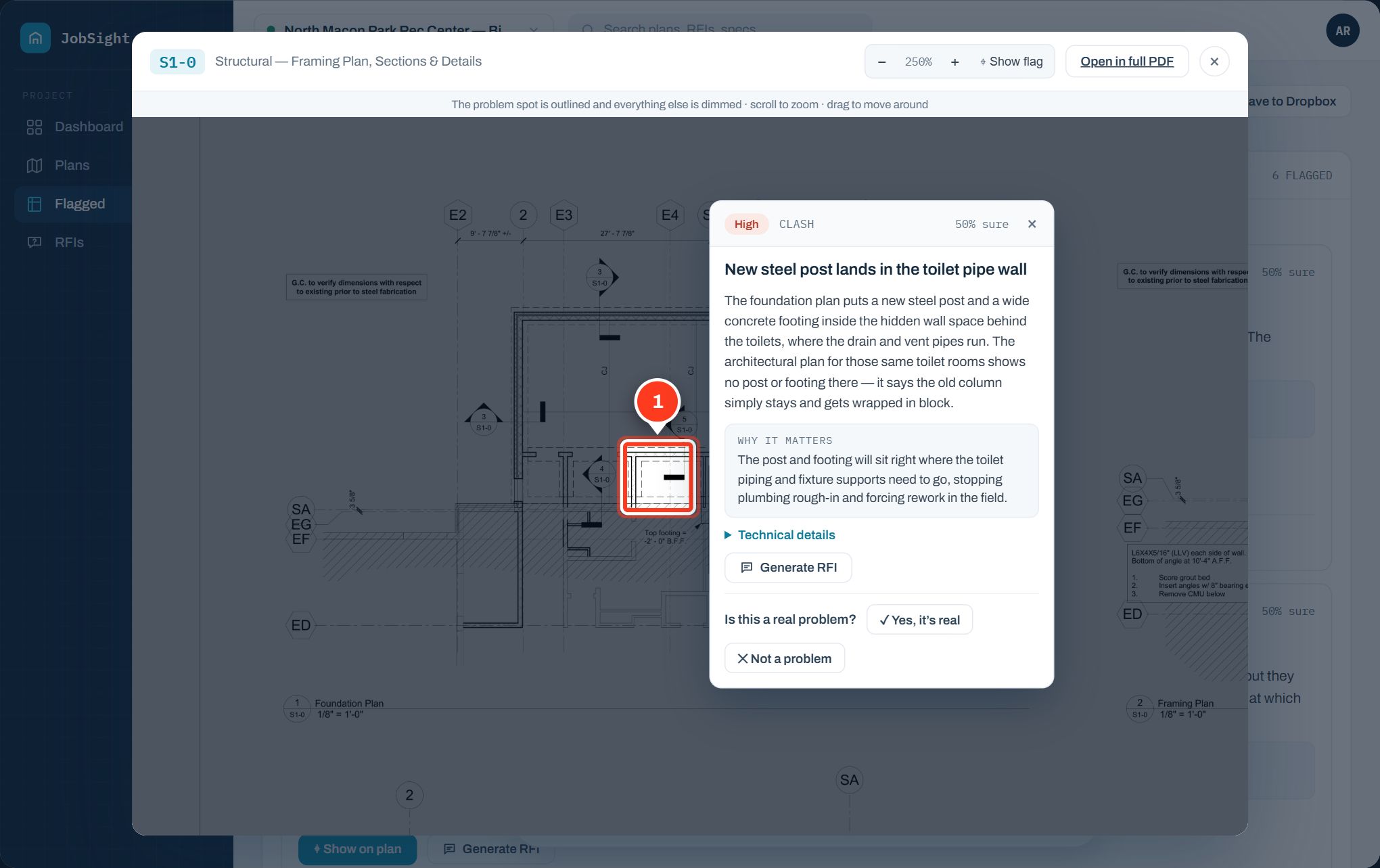
JobSight showing a flagged problem outlined on a structural sheet
From plan set to RFI, in one place
Checks a full plan set in minutes Plain English, not jargon Upload from your computer, phone, or Dropbox Built by builders

A plan set is a hundred sheets.
The mistakes hide between them.

The structural sheet puts a steel post right where the plumbing sheet runs the pipes. Nobody catches it until it’s built and has to be torn out. JobSight checks the sheets against each other before anyone picks up a tool.

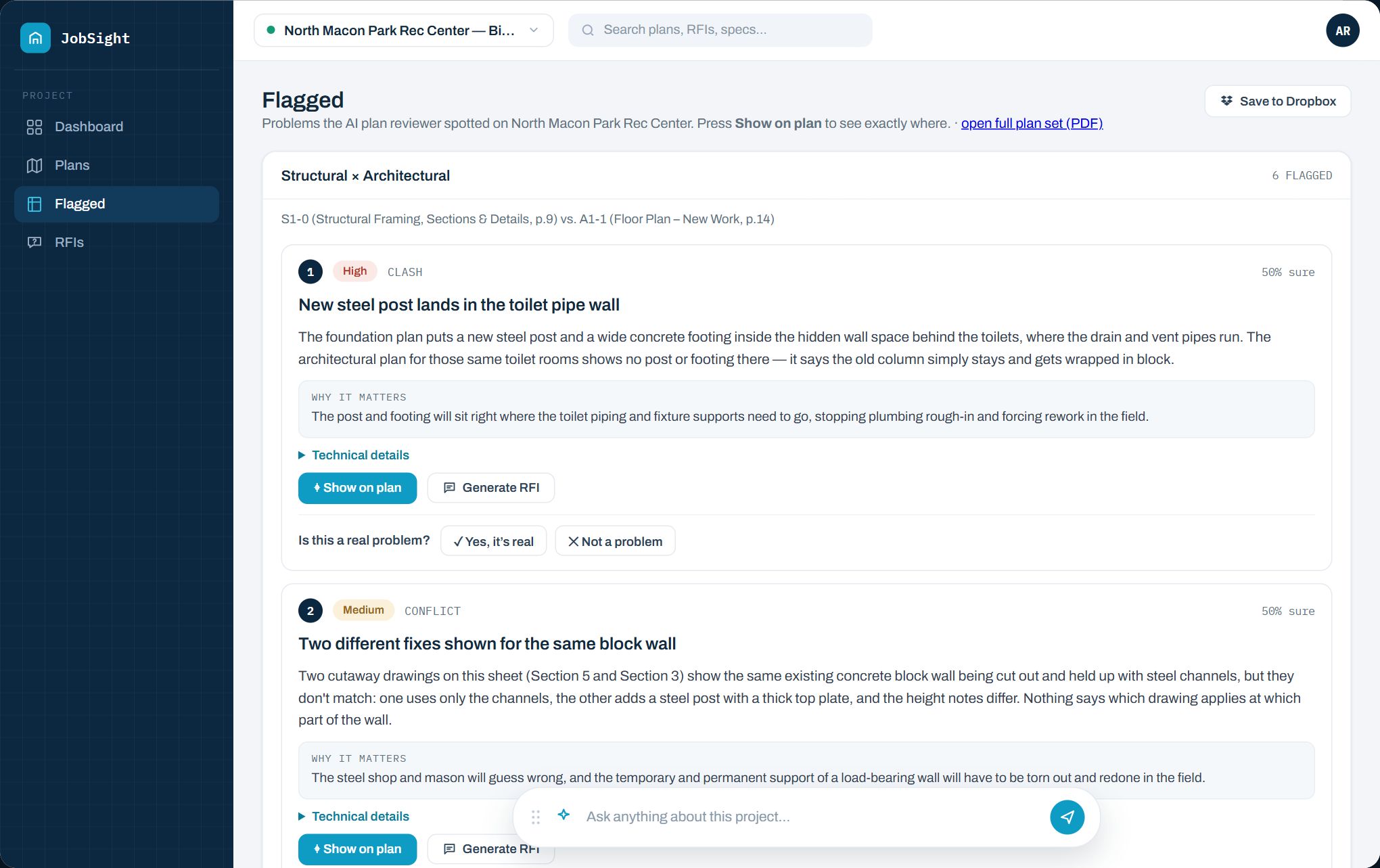
Flagged

Every problem, in words anyone gets.

Each flag says what’s wrong, why it matters, and which sheets disagree — no decoding required. Press Show on plan and JobSight opens the sheet with the problem spot outlined. Mark each one “real” or “not a problem,” add a note, and save the list to Dropbox when you’re done.

app.jobsight.io/flagged
JobSight list of flagged plan problems
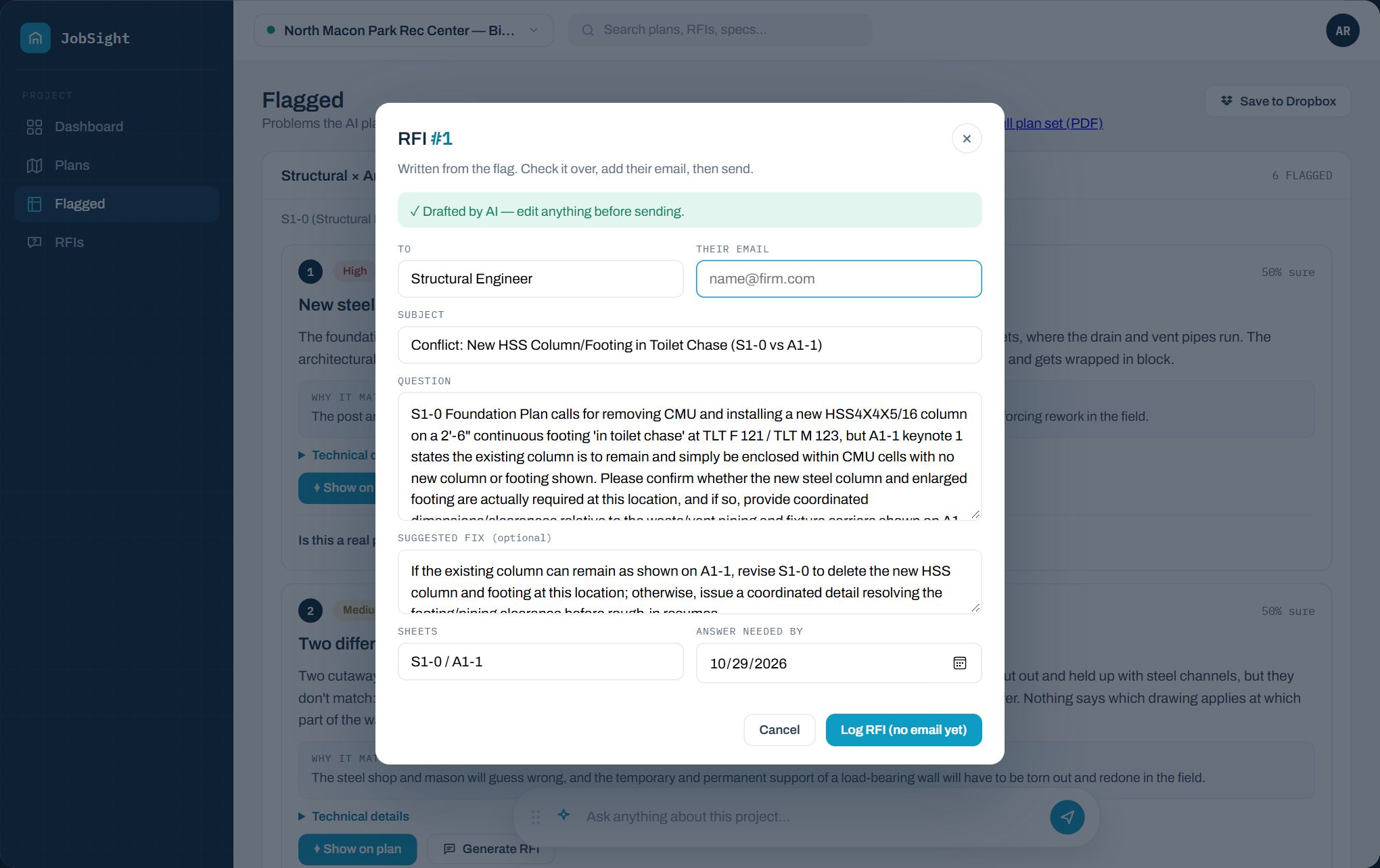
RFIs

From flag to RFI in one click.

Press Generate RFI and JobSight writes it from the flag — who it goes to, the question, a suggested fix, and the sheets involved. Check it over, add their email, and send. It’s logged in your RFI list automatically.

app.jobsight.io/flagged
An RFI drafted by JobSight from a flagged problem
And the rest of what you need

Simple enough to use
on the jobsite.

Add a project in seconds

Name it, upload the plans, and the check starts right away. Flags show up as each set of sheets is done.

Every sheet, one viewer

Flip through the whole plan set, zoom in on any detail, and jump straight to the sheet behind any flag.

Dropbox in and out

Pull plan sets straight from Dropbox, and save your flag report back to it with one click.

You make the call

Confirm or dismiss each flag with a note. Dismissed ones fold away, and only the real ones become RFIs.

Counts and finishes

Doors, windows, fixtures, and the finish in every room — read off the drawings and ready when you ask.

Works on your phone

The same app on the jobsite — open plans from Google Drive, iCloud, or Dropbox right on your phone.
The assistant

Ask anything
about the plans.

Ask in plain words and get a straight, one-sentence answer pulled from your own drawings — not from thin air.

“How many doors are on the floor plan?”
→There are 13 doors on the floor plan.
“What finish is on the restroom floors?”
→Porcelain floor tile CT4 (Daltile Keystones, Chocolate Blend, 1x1).
How it works

Plans in. Problems out.

01 / UPLOAD

Upload the plan set from your computer, your phone, or Dropbox.

02 / CHECK

JobSight reads every sheet and cross-checks the ones that have to agree — structural against architectural, plumbing, mechanical.

03 / REVIEW

Go through each flag, see it outlined on the plan, and mark it real or not a problem.

04 / SEND

Turn the real ones into RFIs, written for you and ready to send.

See JobSight check
a plan set of your own.